IP Lists
What Are IP Lists?
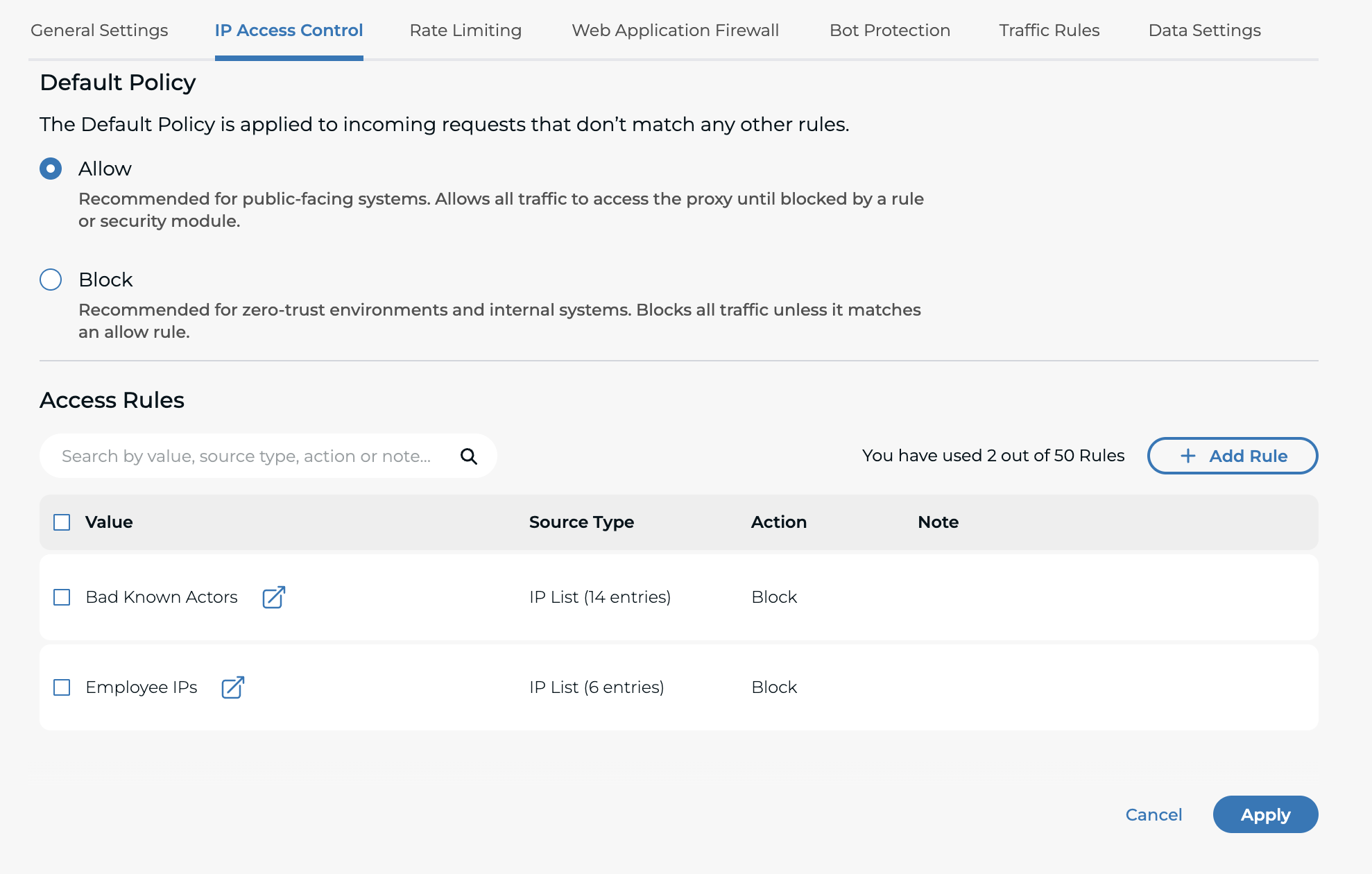
IP Lists are reusable collections of IP addresses and CIDR ranges.
You can use an IP List to control traffic in Traffic Configurations, instead of manually adding the same IP values in multiple places.
IP Lists are useful to:
- Maintain an allow list for trusted sources.
- Maintain a block list for known malicious addresses.
- Reuse the same list across multiple HTTP proxies.
Why Use IP Lists?
IP Lists help you:
- Keep access control rules consistent.
- Avoid repeating manual IP entry.
- Update one list and reuse it where needed.
- Keep changes auditable through changelog history.
Before You Start
Prepare the IP values you want to include:
- IPv4 and IPv6 addresses are supported.
- CIDR ranges are supported.
- Maximum 50 entries per list.
How To Use IP Lists
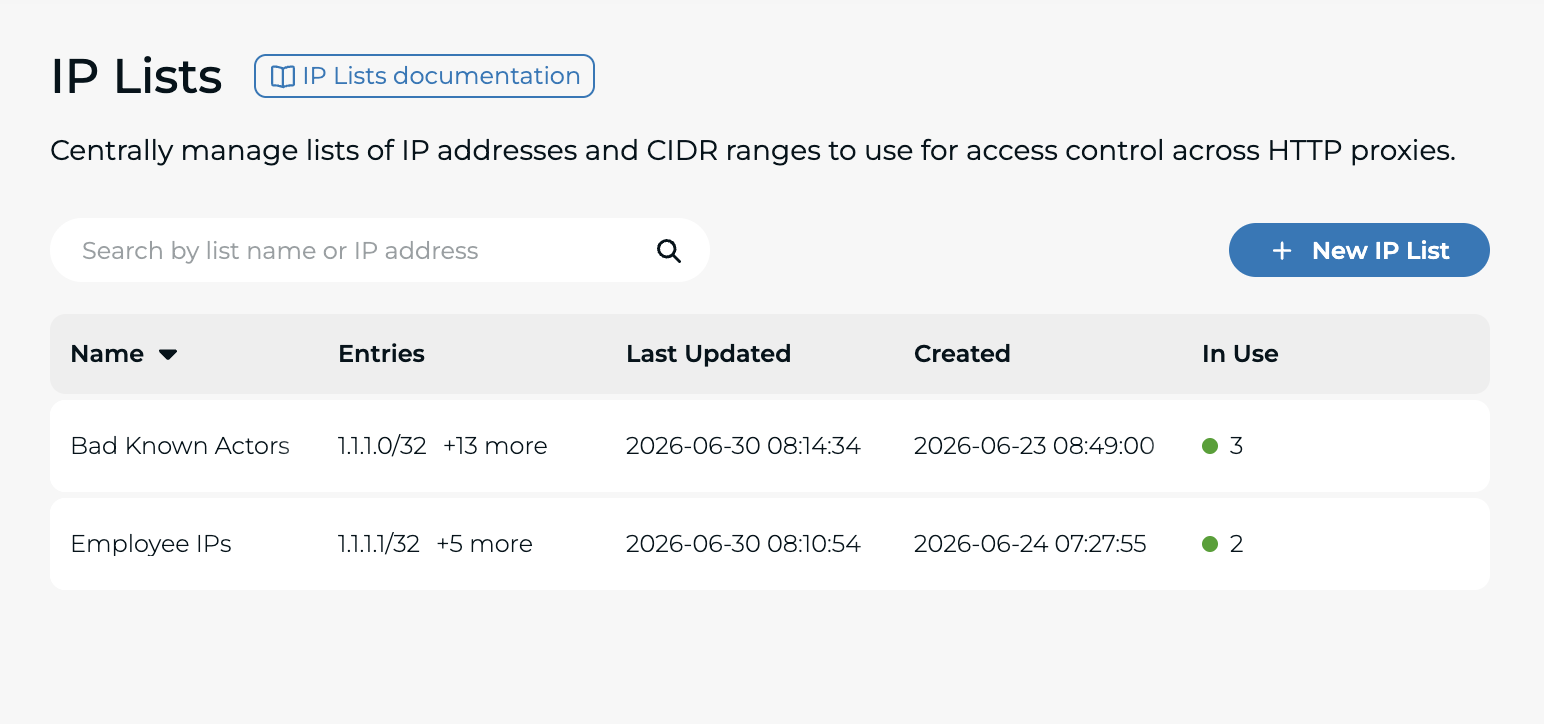
Step 1: Open the IP Lists Page
From this page, you can:
- Search existing lists.
- See where each list is in use.
- Create a new list.
Step 2: Create an IP List
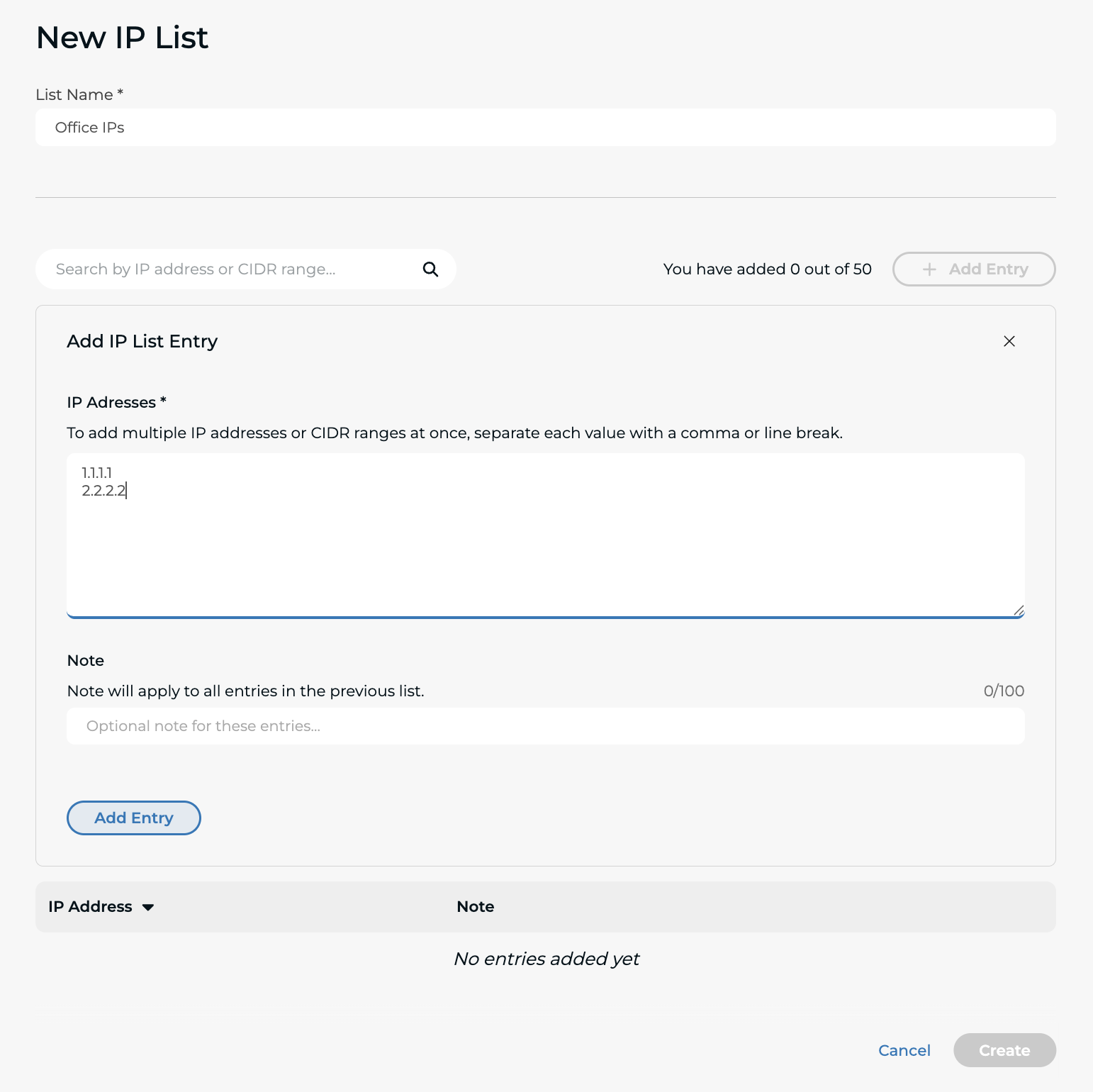
- In the IP List page, click on "New IP List".
- Enter a list name.
- Add one or more IP addresses or CIDR ranges.
- Optionally add a note.
- Click on "Create".
Tips:
- You can add multiple values separated by commas or line breaks.
- Duplicate and invalid entries are rejected.
Step 3: Manage an Existing List
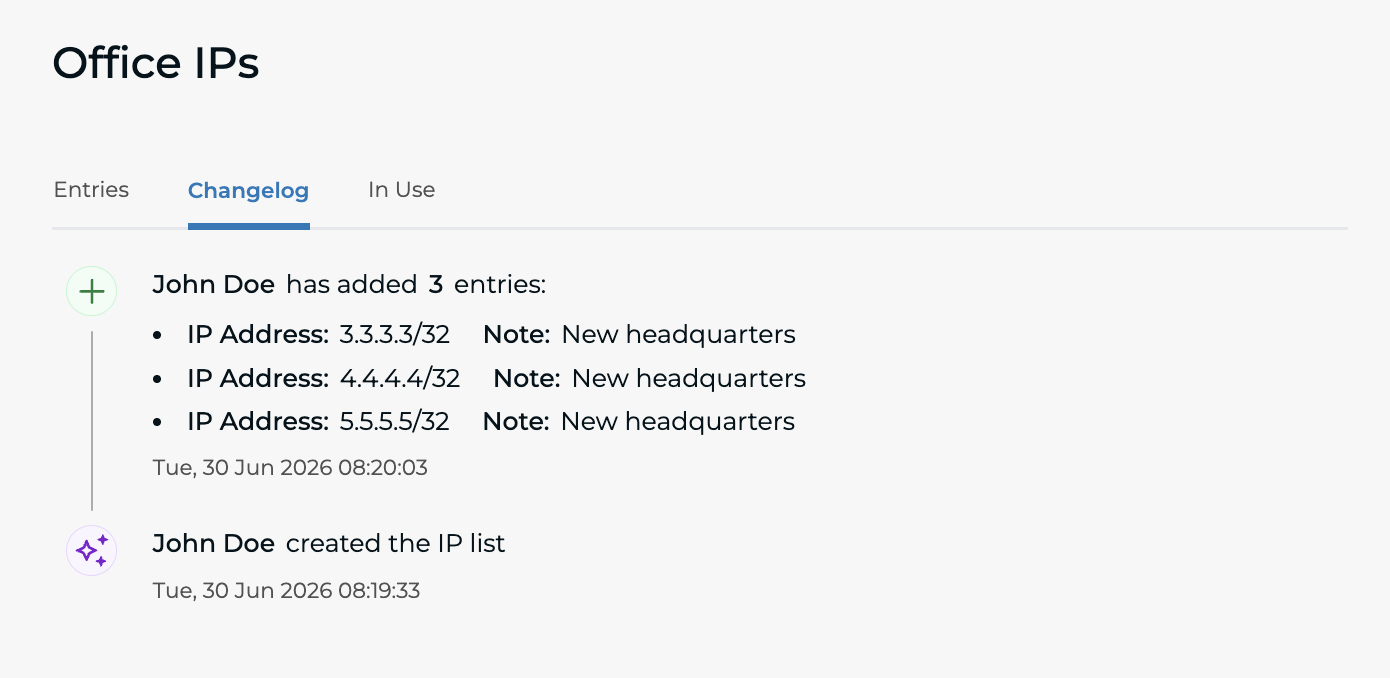
Open a list to:
- Add or remove entries.
- Rename the list.
- Delete the list.
- Review the Changelog tab for who changed what and when.
Step 4: Use the List in Traffic Configuration
Go to Traffic Configurations and open your HTTP Proxy. Then open IP Access Control and add a rule that uses your IP List.