Configure rate limiting
Rate limiting can be applied in one of two modes, depending on the type of traffic you want to protect:
- Limit by Source IP — best for anonymous or unauthenticated traffic.
- Limit by Session Cookie — tracks each user session independently, best for authenticated traffic.
Mode
Limit by Source IP
Applies limits per client IP address. It works for any request without requiring a session, making it a good default for anonymous or unauthenticated traffic. Users sharing an address (behind NAT or a proxy) count toward the same limit.
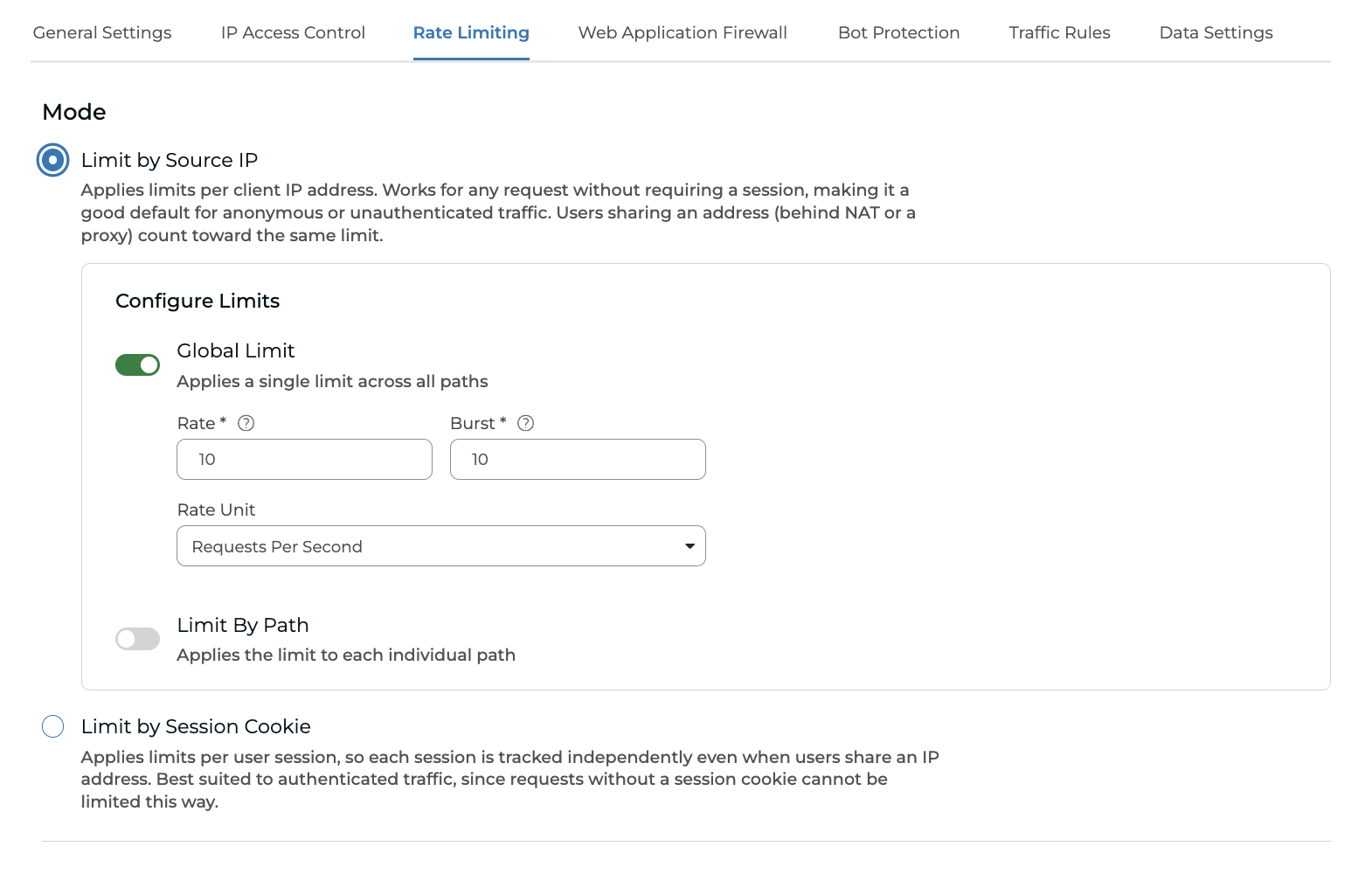
Configure Limits
You can apply limits either globally or per path:
- Global Limit — applies a single limit across all paths.
- Limit By Path — applies the limit to each individual path rather than across all paths combined.
Both options are configured with the following values:
- Rate — it indicates the sustained number of requests allowed over time, measured in the selected Rate Unit. Traffic that stays under this rate passes through; anything above it is throttled.
- Burst — it indicates a short-term allowance of extra requests on top of the Rate, used to absorb brief spikes without immediately blocking legitimate traffic. Once the burst allowance is exhausted, further requests above the Rate are rejected until the rate recovers.
- Rate Unit — either Requests Per Second or Requests Per Minute.
Limit by Session Cookie
Session-based rate limiting tracks requests per client session instead of per IP address. Each session gets its own request allowance, so clients who share an IP address (for example on a corporate network, a mobile carrier, or public Wi-Fi) are counted separately. One client reaching its limit doesn't throttle other legitimate clients on the same connection.
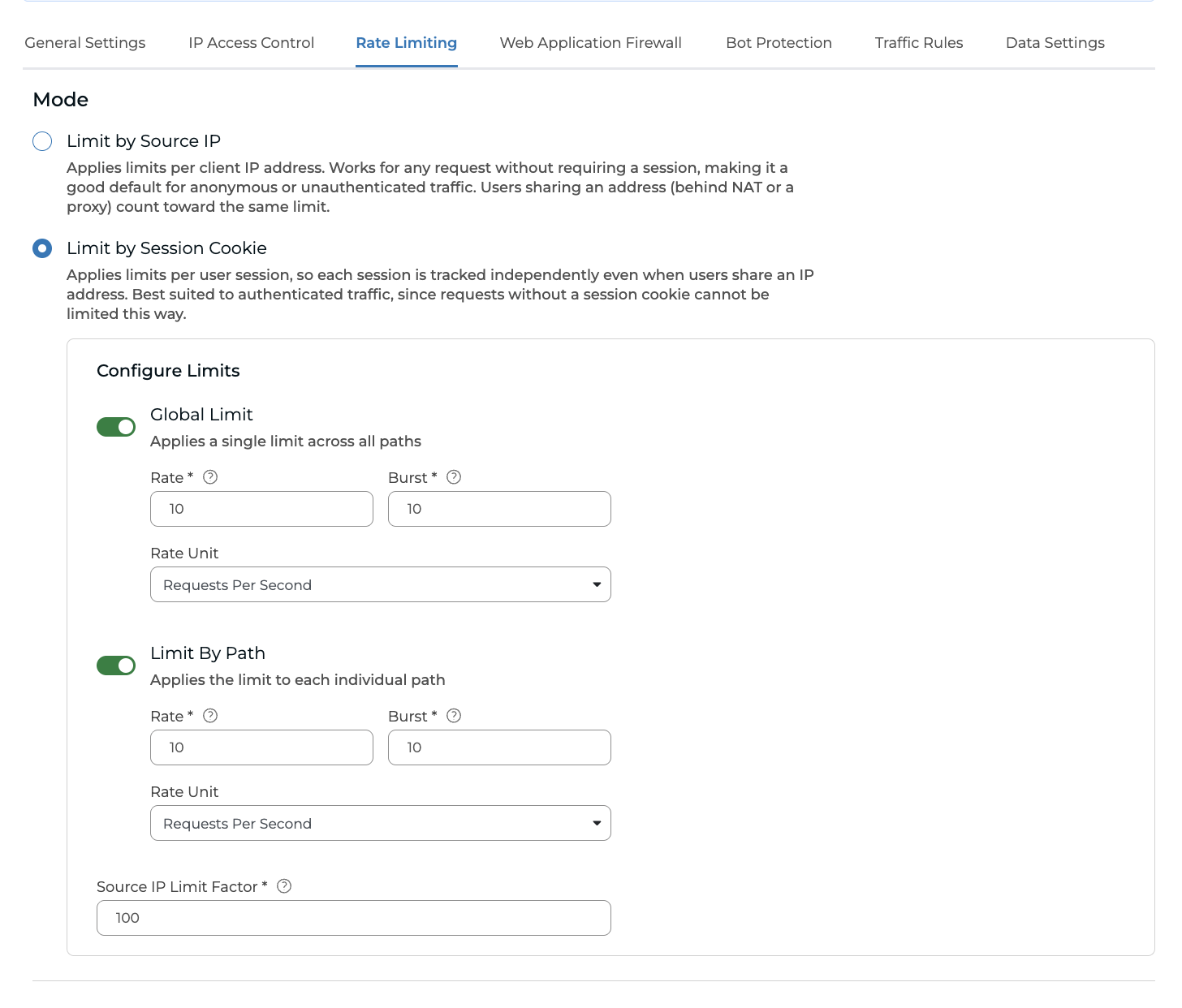
Configure Limits
You can apply limits either globally or per path:
- Global Limit — applies a single limit across all paths.
- Limit By Path — applies the limit to each individual path rather than across all paths combined.
Both options are configured with the following values:
- Rate — it indicates the sustained number of requests allowed over time, measured in the selected Rate Unit. Traffic that stays under this rate passes through; anything above it is throttled.
- Burst — it indicates a short-term allowance of extra requests on top of the Rate, used to absorb brief spikes without immediately blocking legitimate traffic. Once the burst allowance is exhausted, further requests above the Rate are rejected until the rate recovers.
- Rate Unit — either Requests Per Second or Requests Per Minute.
- Source IP Limit Factor - it caps the total request rate shared by every session originating from the same IP address. It stops an attacker from evading the per-session limit by opening a large number of sessions from a single address.
Attention: Source IPs abusing these limits regularly will risk having their traffic blocked for longer, or be added to our IP Reputation feed and blocked globally.
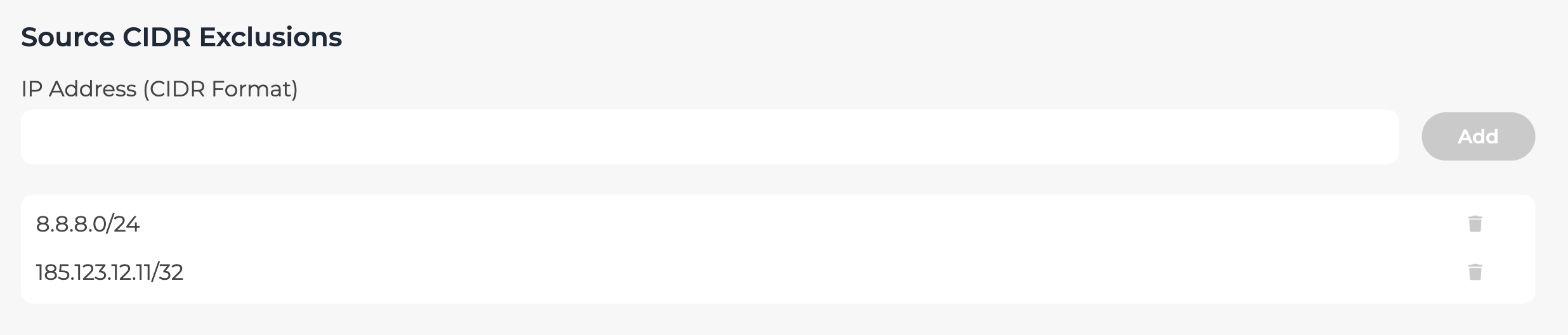
Source CIDR Exclusions
You can exclude one or more IPs or networks from the Rate-limiting module by adding them under source CIDR exclusions.